Calendar OCR
Meadows stores have different flavor schedules, published as monthly images and PDFs. Finding today’s menu means finding your store’s calendar and reading the right square. Today’s Flavor does that work for you: choose a location, see what’s available, and look ahead for a favorite.
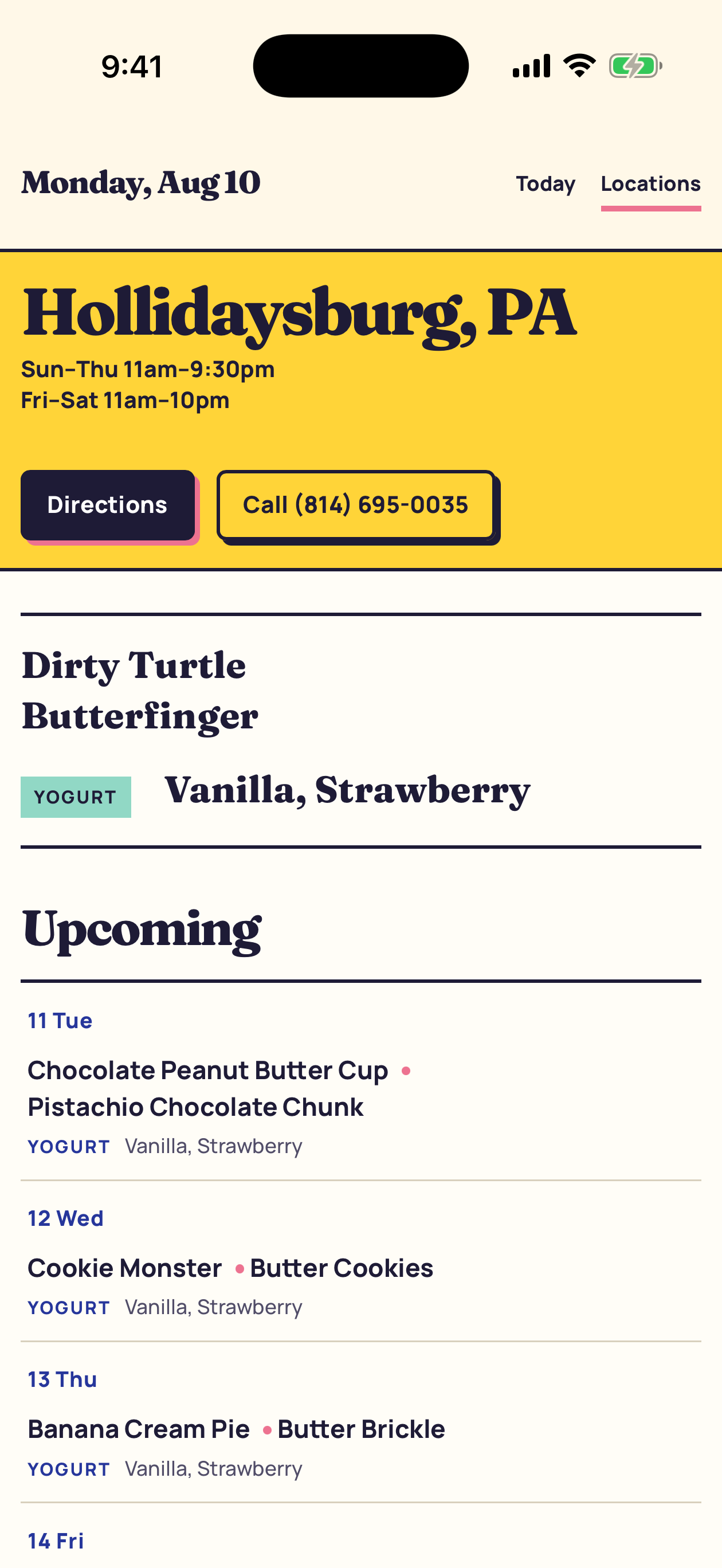
One location’s monthly calendar becomes a daily menu you can check on your phone.
One square, two Sundays
The calendars are images, so dates have to be read from the layout. On Hollidaysburg’s August calendar, the 23rd and 30th share a square. Reading the text in order would not tell you which flavors belong to which Sunday. The printed numbers and their positions do.
The importer reads the whole calendar, keeping each flavor attached to its date. It also interprets weekly yogurt schedules and closures that span several days. That produces a usable schedule from calendars with different layouts.
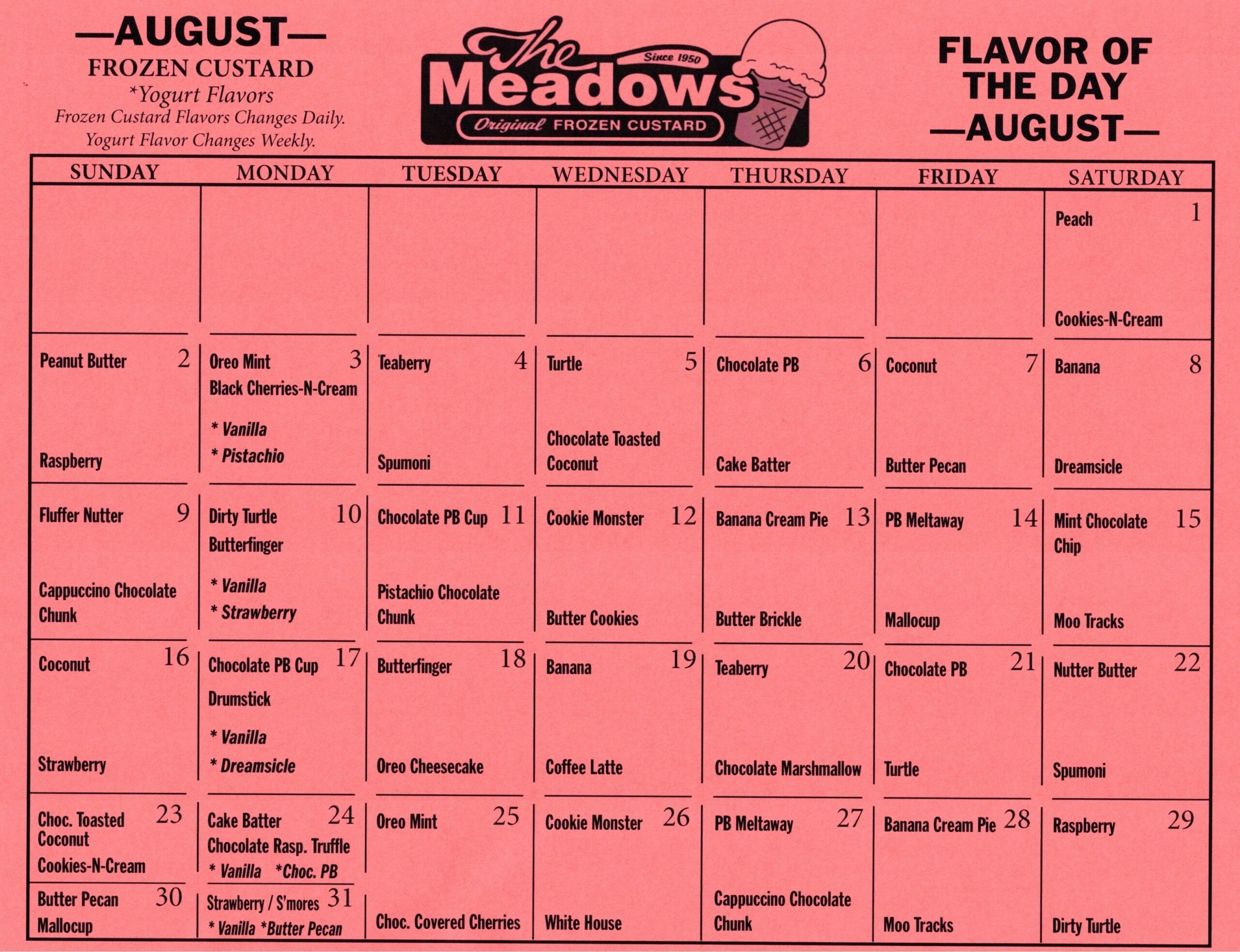
- Choc. Toasted Coconut
Cookies-N-Cream - Butter Pecan
Mallocup
Keeping menus up to date
The crawler finds each location’s published calendar and turns it into a complete month of dated entries. It checks for missing or duplicate dates before updating the schedule.
That same data powers today’s menu, the days ahead, and local flavor reminders on iPhone. Stores don’t have to change anything.